PHANTASY STAR UNIVERSE Ambition of the Illuminus Online Manual
PHANTASY STAR UNIVERSE Online ManualBattle / Items
Type Customization
Type Customization lets you customize in many ways to suit you, such as specializing a Type's strengths, like the "Fighgunner" or "Fortefighter", further, or covering its weaknesses.
- "Type Customization" is not available for the basic Types "Hunter", "Ranger" and "Force".
Kinds of Type Customization
[Custom Basic Abilities]
Customizes basic abilities, such as increasing max HP and base attack power.
[Custom Special Abilities]
Customizes special abilities, such as increasing the power of Just Attacks and the area of technics.
[Custom Specialty Weapons]
Customizes weapon-related abilities, such as increasing the power of certain weapons and the Photon Art level cap.
[Custom Specialty Elements / Resistances]
Customizes elements and resistances, such as strengthening certain technics.
How to use Type Customization
- STEP1
-
Select "Type Customization".
Select "Type Customization" from "Run GAS".

- STEP2
-
Select the Type you want to customize.
A list of Types is shown; select the Type you want to customize. You can also customize a Type other than your current one.

- STEP3
-
Select what you want to customize.
Choose what to customize from "Custom Basic Abilities", "Custom Special Abilities", "Custom Specialty Weapons" and "Custom Specialty Elements / Resistances".

- STEP4
-
Select the ability you want to learn.
After choosing an item, select the ability you want to learn.
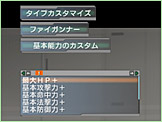
- Each learnable ability shows its effect, the AP required, its level and so on. Learning a higher-level ability gives a greater effect.
- STEP5
-
Select "Learn Lv○".
The learnable level goes up one step at a time.

- To raise a level by 2 or more, repeat STEP 1 to 7.
- STEP6
-
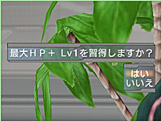
Learn the ability.
A confirmation screen appears. If the selected ability is correct, select "Yes".
- STEP7
-
The learned ability is applied.
AP is consumed and the learned ability is applied to your character.

- There is a limit on how many customizations can be active at once. Learning each item at a low level lets you customize a wide range of abilities, but at low levels the effect may be hard to notice.
Undoing customizations
- STEP1
-
Select a learned ability.
To undo a customization, select a learned ability.

- STEP2
-
Select "Go back one step".
After choosing the item, select "Go back one step".

- STEP3
-
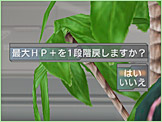
Confirm the ability to undo.
A confirmation screen appears. If the selected ability is correct, select "Yes".
- STEP4
-
The ability's level goes back one step.
The ability's level goes back one step.
Selecting "Go back one step" at learned level 1 returns it to unlearned (LV0).

- Undoing an ability does not use AP.
- Note that undoing an ability does not refund the AP spent to learn it.