PHANTASY STAR UNIVERSE Ambition of the Illuminus Online Manual
PHANTASY STAR UNIVERSE Online ManualBattle / Items
Customization Steps

Once you have earned a certain amount of AP, you can customize your character's abilities. Customization is done at the Resident Security Division on Guardians Colony, Clyez City 3F.
Customization needs AP, not AEXP, so check the values under "Status" in "Character Info" in the Main Menu carefully.
- Only "Premium Course" users can accept GAS.
- Besides GAS, you can also accept "Guardians Advanced Missions" at the Resident Security Division.
- STEP1
-
Talk to the NPC.
Talk to the second NPC from the left at the Resident Security Division on Guardians Colony, Clyez City 3F.
Select "Accept GAS" to start the mission counter. Select "Hear about GAS" to see notes on GAS.
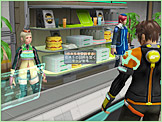
- Be sure to read the notes before using it.
- STEP2
-
Select a mission.
Select "GAS" at the mission counter and start the mission.

- STEP3
-
Start GAS.
Select "Run GAS" to start customizing.
To check the details of each item, select "About GAS", "About Type Customization" or "About Style Customization".

- STEP4
-
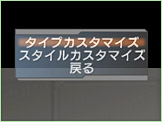
Select what you want to customize.
Choose what you want to customize from the two kinds, "Type Customization" and "Style Customization".
- STEP5-1
-
Run Type Customization.
See here for the steps and details of Type Customization.
- STEP5-2
-
Run Style Customization.
See here for the steps and details of Style Customization.
- STEP6
-
Finish customizing.
When you select and confirm the ability you want, its effect is applied to your character.
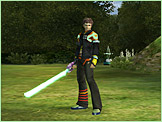
- For "Style Customization", you must set the ability after acquiring it.