PHANTASY STAR UNIVERSE Ambition of the Illuminus Online Manual
PHANTASY STAR UNIVERSE Online ManualBasics
Getting Started on Windows PC
This page walks you through the steps to start playing the Windows version of "PHANTASY STAR UNIVERSE Ambition of the Illuminus". Please check them carefully before you begin.
Click an image or title to see the details.
- If you play Network Mode on the "Free Course", you do not need steps 5 and 6.
- STEP1
-
Check the required equipment and environment
Check the equipment and environment needed to play the Windows version of "PHANTASY STAR UNIVERSE Ambition of the Illuminus".
Check your PC's specs carefully before moving on.
- STEP2
-
Registering a PSU ID
The Windows version of "PHANTASY STAR UNIVERSE Ambition of the Illuminus" is online-only. To play, you need a PSU ID (free to register). You register a new PSU ID from a PC or from your mobile phone (Docomo / au / SoftBank).

- If you are continuing from the previous game "PSU", you do not need to register a new PSU ID. Log in from the login page with the PSU ID you used in "PSU".
- STEP3
-
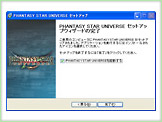
Installation
Install "PHANTASY STAR UNIVERSE Ambition of the Illuminus" on Windows.
You also need the latest version of DirectX to play.
- STEP4
-
Option Settings
If needed, you can change the screen size, graphics settings, sound settings, key settings and more from the options.
You can also create the environment data needed when contacting support here.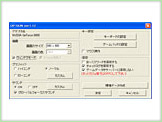
- STEP5
-
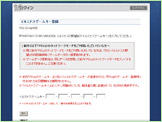
Register or purchase a Game Key
To use Story Mode or Network Mode on the Premium Course, you must register an Illuminus Game Key. After registering your PSU ID, go on to register your Illuminus Game Key. If you do not have an "Illuminus Game Key", you can buy one here.
- The story missions in Network Mode can be played even on the Free Course without registering an "Illuminus Game Key".
- STEP6
-
Guardians License Purchase
To keep using the Premium Course after the free period from the "Illuminus Game Key" ends, you need to purchase a Guardians License.
Complete the purchase with the payment method of your choice.